Mirroring Entities
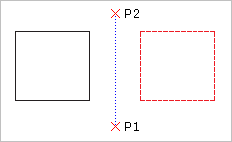
Use the Mirror command to copy selected entities onto the opposite side of a specified mirror line. To define the mirror axis, specify two points.
To mirror drawing entities:
- Click Modify > Mirror (or type Mirror).
- In the graphics area, select entities to mirror.
- Press Enter.
- Specify two points to define a mirroring axis.
To force the mirror line to be parallel to the X- or the Y-axis, enable Ortho mode.
- At the prompt, press Enter to keep the source entities or specify the Yes option to delete the entities.
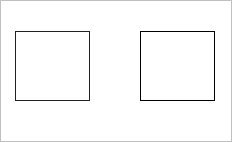
The entities are mirrored about the specified axis.
Access
Command: Mirror
Menu: Modify > Mirror
Tool Palettes: Draw > Mirror
Ribbon: Home > Modify > (Flyout) Mirror 