Aligning a Set of Specified Entities
Use the AlignX command to align a set of specified entities according to the first selected one.
You can align the following entities:
- Splines, Polylines, and Lines
- Arcs, Circle, Ellipses, and elliptical Arcs
- Text entities (Notes and SimpleNotes)
- Hatches, Images, and Blocks
- Dimensions
To align a set of specified entities:
- Do one of the following:
- On the ribbon, select Home > Modify > AlignX.
- On the menu, click Modify > AlignX.
- Type AlignX.
- In the graphics area, choose a suitable entity and select it.
- Select all other entities to align and press Enter.
- Specify an alignment option:
- Top
- Bottom
- Left
- Right
- Vertical Center
- Horizontal Center
- Center
The entities are aligned to the specified side of the first entity that you have selected.
- Press Enter.
Examples:
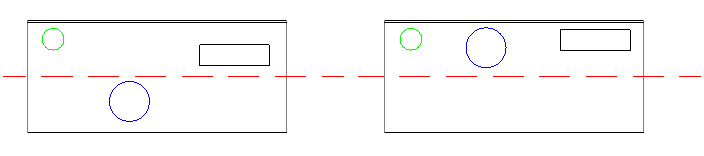
- First selected entity: the green circle
- Alignment: Top
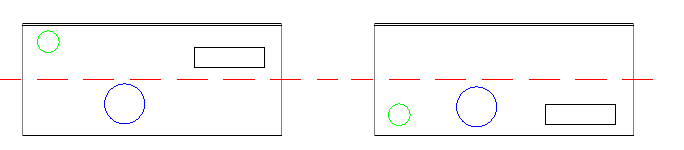
- First selected entity: the blue circle
- Alignment: Bottom
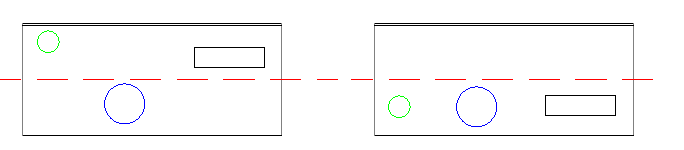
- First selected entitiy: the blue circle
- Alignment: Horizontal Center
Access
Command: AlignX
Menu: Modify > AlignX
Ribbon: Home > Modify > (Flyout) Align X 